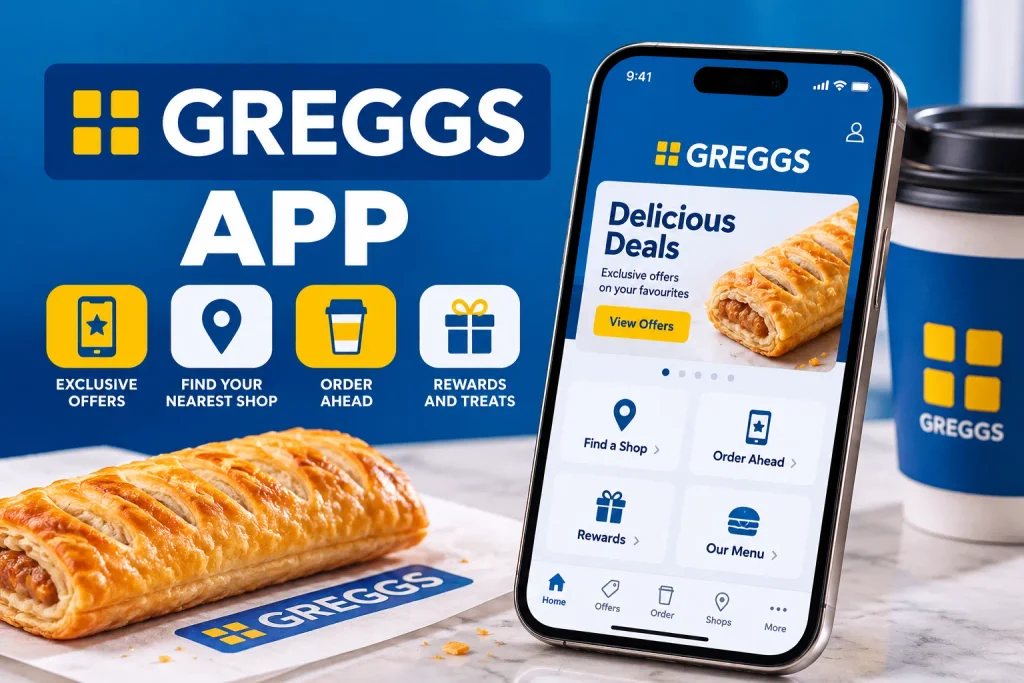
If you’re a regular at your local bakery, the Greggs app is one of the easiest ways to make your visits go further. It turns every sausage roll, coffee, and sandwich into a stamp toward something free, and it saves you standing in the lunchtime queue if you order ahead.
This guide covers exactly how the Greggs app works, what you get for signing up, how the free stamps system works, and what to do if the app stops playing. Whether you’re downloading it for the first time or trying to fix a login problem, you’ll find the answer below.
What Is the Greggs App?
The Greggs app officially called Greggs Rewards is the bakery chain’s free mobile app for iPhone and Android. It combines three things in one place: a digital loyalty card, a way to pay in-store, and an ordering tool for Click and Collect.
Instead of carrying a paper stamp card, everything is tracked automatically each time you scan at the till. You’ll also get access to app-exclusive deals, a shop locator, and personalized offers based on what you tend to order.
For anyone who eats at Greggs even a few times a month, this app-based loyalty scheme pays for itself quickly. Since Greggs also runs regular Greggs deals and offers, pairing those with your app stamps is one of the simplest ways to eat well on a budget.
How Does the Greggs App Work?
Once you’re signed up, the app gives you six digital stamp cards, one for each product category:
- Drinks (hot, cold, and branded drinks)
- Sandwiches and Salads
- Breakfast
- Savouries, Bakes, and Pizza
- Sweet Treats
- Hot Food
Every time you buy something in one of these categories, either in-shop or through Click and Collect, you scan your app and earn a stamp in that category. Collect 9 stamps, and your 10th item in that category is free. This is the classic collect 9, get 10th free system that most Greggs regulars know well.
You can build up stamps in more than one category at the same time, so a sandwich, a coffee, and a doughnut all count toward three separate cards. A small number of products are excluded from the scheme, so it’s worth checking the Greggs app terms and conditions in the app if something doesn’t seem to count.
Greggs App Download: iPhone and Android
The Greggs app download is free and works the same way as most other UK loyalty apps.
On iPhone:
- Open the App Store
- Search “Greggs”
- Tap Get, then confirm with Face ID, Touch ID or your Apple ID password
On Android:
- Open Google Play
- Search “Greggs”
- Tap Install
The app is a reasonably large download, so it’s worth doing it on wifi rather than mobile data if you can. Once installed, you’ll be prompted to create an account before you can start collecting stamps.
How to Sign Up for the Greggs App
The Greggs app sign-up takes a couple of minutes. You can register using an email address or by linking Facebook, Google, or Apple sign-in.
During sign-up you’ll be asked for:
- Your name and email address
- A password
- Your date of birth (this is what unlocks your birthday treat)
If you already had a separate Click and Collect account from before, Greggs has merged Click and Collect and Greggs Rewards into one single account. You can simply log in with your existing details rather than creating a second profile.
Greggs App Free Stamps and Free Rewards Explained
The loyalty stamps app system is genuinely one of the more generous ones on the UK high street compared with most fast food rewards app schemes, since there’s no minimum spend and no points to convert.
Here’s what to expect once you’re set up:
- Welcome reward: new users typically get a free hot drink just for downloading and registering, sometimes upgraded to a free bake plus hot drink during promotional periods
- Free stamps: every purchase in a category earns a stamp, with the 10th item free
- Birthday treat: enter your date of birth and you’ll get a free sweet treat every year around your birthday
- App exclusive deals: personalized offers and vouchers appear in your wallet from time to time
Your rewards live in the “Wallet” section of the app. To use one, toggle it on and show it to a member of staff, who will scan it at the till. It’s worth checking your wallet regularly, since reward vouchers don’t last forever. Many users report that unredeemed rewards expire roughly a month after they’re earned, so use them promptly rather than letting them stack up.
If you want to top up your stamps with a treat rather than waiting for your birthday, browsing Greggs birthday treat options and Greggs gift cards alongside the app is a handy way to plan ahead for the whole family.
Click and Collect on the Greggs App
The Greggs app Click and Collect feature lets you order ahead and skip the queue entirely, which is genuinely useful during the breakfast and lunch rush.
To use it:
- Open the app and select Click and Collect
- Choose your nearest shop
- Browse the menu and add items to your basket
- Pick a collection time
- Pay in-app, then collect when you arrive
This works particularly well for busier city center branches, where queues can build up fast around 8am and 12:30pm. It’s also a good option if you’re ordering a larger group order, such as picking up several breakfast meal deals for the office. If you want to plan the order in advance, our guide to Greggs breakfast meal deals is worth a look before you check out.
One thing to note: student discounts and some in-app promotional codes don’t apply to Click and Collect orders, so read the offer terms carefully before you rely on stacking discounts this way.
Greggs App Shop Finder
The nearest Greggs store locator built into the app uses your phone’s location to show shops nearby, along with opening hours and whether they’re currently open. You can also filter specifically for shops that open late in the evening, which is handy if you’re after the evening menu rather than the standard daytime range.
This tab is useful even if you’re not planning to order through the app, since it’s often quicker than searching online for “Greggs near me.”
Is the Greggs app free?
Yes. Downloading and using the Greggs app costs nothing, and there’s no subscription or membership fee attached to the rewards scheme. You only pay for the food and drink you actually order, either in-shop or through Click and Collect.
Greggs App Not Working: Common Problems and Fixes
Like most retail apps, the Greggs app occasionally runs into glitches, particularly around busy periods or after a big update. Here are the most common issues and how to fix them.
The Greggs app is not working or stuck on the logo screen
- Fully close the app rather than just minimising it, then reopen it
- Check for an available update in the App Store or Google Play
- Restart your phone
- Reinstall the app if the problem continues
Greggs app login problems
- Double check your email address and password are correct
- Use the “forgot password” link to reset if needed
- Make sure you’re connected to wifi or mobile data, since login requires an internet connection
- Try logging in through Facebook, Google, or Apple if you originally signed up that way
Greggs app QR code scan not working
- Turn your screen brightness right up before scanning, as a dim screen is a common cause of failed scans
- Hold the phone steady a few inches from the scanner
- Make sure your app is fully updated, since older versions sometimes have scanning bugs
- If the till system itself is down, staff can often note your reward manually, so it’s worth asking
Greggs app update issues
If a recent update has caused problems, check the app store listing to see if it’s a known issue affecting lots of users, rather than something specific to your phone. Deleting and reinstalling usually resolves update-related bugs.
It’s also worth remembering that occasional nationwide payment outages have affected Greggs tills in the past, separate from the app itself. On those days, Click and Collect and cash payments are usually still available even if card and app payments briefly go down.
Does the Greggs App Work in All Stores?
The app works in the vast majority of standalone Greggs shops across the UK. However, it generally doesn’t apply at Greggs counters inside MOTO service stations or other franchise locations, and rewards can’t be earned or redeemed on Just Eat delivery orders. If you’re unsure, the shop finder tab shows relevant details for your nearest branch.
Greggs App vs Website Ordering
You can technically order some items through the Greggs website, but the app is the more complete experience. Only the app lets you collect stamps, hold rewards in a wallet, and access app exclusive deals. The website is mainly useful for browsing the Greggs menu app content, checking allergen information, or finding a shop, rather than for ordering and earning rewards.
If checking ingredients matters to you before you order, it’s worth pairing your app browsing with our full breakdown of allergens for popular items.
Is There a Greggs Student Discount on the App?
Greggs runs a student discount through Student Beans rather than through the app itself. Students who show a valid student ID alongside a sandwich meal deal can get a free item such as a sausage roll or sweet treat.
This offer doesn’t apply to Click and Collect orders or MOTO franchise shops, so it needs to be redeemed in person over the counter.
How to Delete or Deactivate Your Greggs App Account
If you want to stop using the app and remove your data, you’ll usually find an account deletion option under Account settings within the app itself.
If it isn’t visible on your version, Greggs customer service can process a deletion request for you through their contact form or customer care line. Bear in mind that deleting your account also removes any unused stamps or rewards sitting in your wallet, so redeem what you can first.
Tips to Get the Most from the Greggs App
A few small habits make a noticeable difference over a year of regular visits:
- Scan every single purchase, even small ones, since stamps add up faster than you’d think
- Check your wallet weekly so rewards don’t quietly expire unused
- Turn on notifications so you don’t miss limited-time app-exclusive deals
- Use Click and Collect during peak times to avoid queuing
- Keep the app updated to avoid scanning glitches at the till
Frequently Asked Questions
How does the Greggs app work?
It’s a digital loyalty card, ordering tool, and shop finder in one. You scan at the till to earn stamps, with the 10th item in a category free.
How many stamps do I need for a free item on the Greggs app?
Nine stamps in a single category earns you a free 10th item in that same category.
How do I get free stamps on the Greggs app?
Simply scan your app at the till every time you buy something. One purchase equals one stamp in the relevant category.
Why is my Greggs app not scanning?
Usually low screen brightness, an outdated app version, or a poor connection. Turn brightness up fully and check for updates first.
Can I order ahead on the Greggs app?
Yes, through the Click and Collect feature. Choose your shop, pick your items, select a collection time and pay in-app.
Does the Greggs app work in all stores?
It works in most standalone Greggs shops, but generally not at MOTO franchise counters or on Just Eat delivery orders.
How do I delete my Greggs app account?
Look for account deletion under settings in the app, or contact Greggs customer service directly if you can’t find the option.
Conclusion
The Greggs app is one of the simplest loyalty schemes on the UK high street: free to download, free to use, and genuinely rewarding if you’re already a regular customer. Between the free stamps, the birthday treat, and the convenience of Click and Collect, it’s worth having installed even if you only pop in once a week.
If you’re planning what to order once you’re in, our full Greggs allergen information guide is a good next stop before you check out through the app.