Greggs Click and Collect: How It Works, Menu & Tips
Greggs Click and Collect lets you order your food and drinks ahead, choose a collection slot, and pick everything up without joining the queue. It is free to use, and you can order through the Greggs app or the Greggs website.
This guide covers how the service works, how to order step by step, what to pre-order, and what to do if something goes wrong. For a full list of current items and costs, you can browse the Greggs menu and prices on our site.
What is Greggs click and collect?
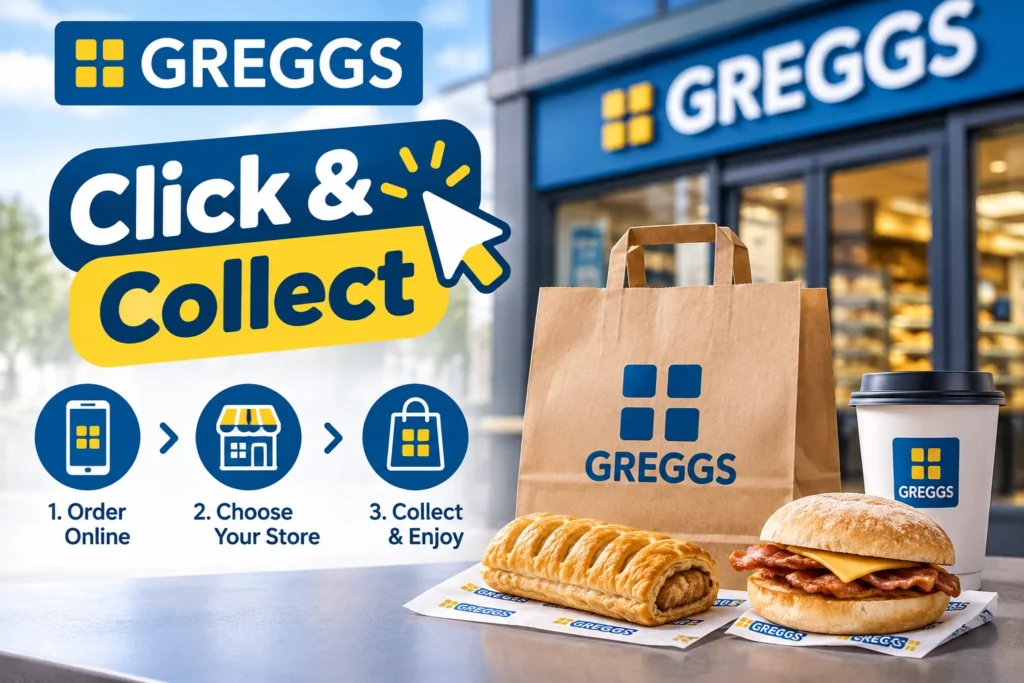
Greggs click and collect officially written as Click + Collect is an order-ahead service. You build your order online, pay in advance, and collect it from your chosen shop.
There is no delivery driver involved. Your order is prepared in the shop and packed for the time you pick.
Here is what makes it different from walking in:
- You choose a collection time instead of waiting in line
- You pay before you arrive
- Your order is packed fresh for your slot
- You still earn rewards and stamps when you are logged in
How to use Greggs click and collect, step by step
Learning how to use Greggs Click and Collect takes about two minutes. The process is the same on the app and the website.
1. Get the app or open the website: The Greggs app is free on iOS and Android. If you prefer not to download anything, the Greggs website works in any browser.
2. Log in or create an account: You can order without one, but logging in matters. Orders placed while logged in earn your rewards and stamps.
3. Choose your shop: Pick the Greggs click and collect near me option or search by town or postcode. Not every shop will be open at the time you want, so check the shop details first.
4. Pick a collection slot: Greggs uses five-minute windows. This spreads out demand so your order is ready when you turn up.
5. Add your items: Browse the menu and add what you want to your basket. Meal deals can be added here too.
6. Pay online: You can pay by debit or credit card, or with your Greggs wallet balance. More on wallet rules below.
7. Collect your order: Every Greggs shop has a dedicated click-and-collect point. Head there and show your order reference number.
Which Greggs shops offer click and collect?
Most Greggs shops offer the service, but not every single one. Availability depends on the shop, its opening hours, and its location type.
The easiest way to check is the shop finder in the app. If a shop does not offer the service, it will not appear as a collection option when you build your order.
A few practical points:
- Forecourt, travel hub, and high-street shops can all differ in hours
- Some shops stop taking orders earlier than their closing time
- Menus can vary slightly between shops
Opening and collection times
Greggs click and collect opening times follow the individual shop’s trading hours. There is no single national rule, so always check the shop you plan to use.
Collection works in five-minute slots. You can order for the same day or plan ahead, depending on what the app offers.
Breakfast is worth planning around. Breakfast items are only available during breakfast hours, so pick an early slot if that is what you want.
Greggs click and collect Breakfast
The Greggs click and collect breakfast option is one of the best reasons to order ahead. Popular items like the Sausage Breakfast Roll often sell out during the morning rush, roughly 7:30 to 9:00am.
Pre-ordering gets your item reserved before it runs out.
Typical breakfast costs on our Greggs breakfast menu start from around £3.25 for a breakfast deal. A Free Range Egg Pot is £1.60 and 127 kcal, which works as a lighter option.
Menu and popular items to pre-order
The Greggs app click and collect menu covers bakes, breakfast, sandwiches, sweet treats, and drinks. You are not limited to a small selection.
Popular things to pre-order include:
- Sausage rolls, from around £1.45 (vegan versions are also available)
- Meal deals, from around £3.75
- Breakfast rolls and pastries
- Hot and iced coffee
- Doughnuts and sweet treats
Prices can vary by shop type, so the price you see at checkout is the one that counts.
Coffee is an easy add-on. A Greggs coffee order placed in the app also counts towards your stamp card.
Bulk orders and catering
Greggs also offers a catering range through click and collect. It includes sandwich platters, breakfast boxes, and sweet trays, with vegan options. This suits Greggs bulk or party orders, office lunches, and meetings.
Offers, rewards, and vouchers
The Greggs app rewards scheme is built around stamps. Buy a hot drink through the app and you earn a stamp towards a free drink. You also get a free birthday treat each year.
The key point for click and collect is that you must be logged in when you order. If you are, your order earns rewards the same as an in-shop purchase.
App users also see offers that are not always available in the shop, so check the Offers page before you pay. A Greggs click and collect discount usually comes through these app deals, not through a separate code.
Wallet and payment rules
You can pay with a card or your Greggs wallet balance. There is one catch that catches people out.
Part-payment does not work on click and collect. In the shop, you can use part of your wallet and pay the rest by card. Online, your wallet balance must cover the whole order, or you pay by card instead.
Greggs click and collect vs. delivery
The Greggs click and collect vs. delivery choice comes down to cost and convenience.
| Click and collect | Delivery apps | |
|---|---|---|
| Delivery fee | None | Usually applies |
| Menu prices | Standard shop prices | Often £0.50 to £1.00 higher |
| Rewards and stamps | Earned when logged in | Not earned |
| Who brings it | You collect | Driver brings it |
Delivery comes through Just Eat, Uber Eats, and Deliveroo at participating shops. It makes sense if you cannot leave home. If you can walk to the shop, click and collect is usually cheaper.
Troubleshooting
Order not showing
If your Greggs click and collect order is not showing, check your email for the confirmation first. Greggs sends order confirmations to the address on your account. Also check that you are logged into the right account.
App not working
If the Greggs Click and Collect app is not working, try these fixes in order:
- Close the app fully and reopen it
- Update to the latest version from your app store
- Check your signal or Wi-Fi
- Switch to the Greggs website as a backup
Changes, cancellations, and refunds
This is the strict part. Once an order is placed and confirmed, it cannot be changed or cancelled. You would need to place a second order for anything extra.
If Greggs cannot complete part of your order, they will contact you or offer a suitable alternative at collection. You can also ask to cancel, and the refund goes back to your original payment method.
Is it worth it?
For most people, yes. It is free, it saves time at busy periods, and you keep your stamps and rewards. The main downsides are that you cannot edit an order and you cannot part-pay with your wallet.
If you want the quickest lunch run or a guaranteed breakfast roll, Greggs order ahead is the better option. You can compare costs before you order on our Greggs meal deals page.
FAQs
How does Greggs Click and Collect work?
You order through the app or website, pick a shop and five-minute collection slot, and pay online. Your order is prepared for that time. You then go to the collection point in the shop and show your order reference number.
Is there a click and collect at Greggs?
Yes. Greggs runs a free Click the + Collect service through its app and website. It is available at most shops, and each shop has a dedicated collection point.
How do I order from Greggs ahead of time?
Open the Greggs app or website, choose your shop, and select a collection slot. Add your items, check out, and pay. You can order for the same day or plan ahead, depending on the slots shown.
Can I pay in store for a Greggs Click and Collect order?
No. Click and collect orders are paid for online at checkout, by card, or with your Greggs wallet balance. You do not pay at the shop when you collect.
How long does Greggs Click and Collect take?
Your order is prepared for your chosen five-minute slot, so it should be ready when you arrive. Collection itself is quick because you go to the dedicated collection point instead of the main queue.
How long will Greggs hold my click and collect order?
Greggs does not publish a single hold time that we could confirm. Orders are prepared fresh for your slot, so collect on time. If you are running late, contact the shop or customer care.
Can I change or cancel a Greggs click and collect order?
Not once it is confirmed. Greggs’ terms say confirmed orders cannot be amended or cancelled. If they cannot complete your order in full, they will contact you, offer alternatives, or refund you.
Is there a minimum spend for Greggs click and collect?
Greggs’ FAQs say there is no minimum spend on the debit card part of a transaction. Terms also mention a minimum amount heading, so check the app at checkout for any current limit.
Does Greggs click and collect cost extra?
No. There are no service charges, booking fees, or delivery fees on click and collect orders. You pay the menu price shown at checkout for your chosen shop.
Do all Greggs shops offer click and collect?
Most do, but not all. Check the shop finder in the app. If a shop is not listed as a collection option when you start an order, it does not offer the service.
Can I use vouchers or rewards with click and collect?
Yes, rewards and stamps work when you are logged in. App offers are also shown at checkout. Wallet balance can be used too, but only if it covers the full order.
What is the difference between Greggs click and collect and delivery?
Click and collect means you pick up from the shop with no extra fee. Delivery comes through Just Eat, Uber Eats, or Deliveroo, with fees and prices often £0.50 to £1.00 higher.
Is Greggs click and collect available for breakfast?
Yes, during breakfast hours. Pick an early slot and your breakfast roll or pastry is reserved, which helps because popular items often sell out between 7:30 and 9:00am.
Why is my Greggs click and collect order not showing?
Check your confirmation email and make sure you are logged into the same account. Then close and reopen the app, update it, or try the website. If it still does not appear, contact Greggs customer care.
How do I find my nearest Greggs click and collect shop?
Use the shop finder in the Greggs app or on the website. Enter your postcode or allow location access, then choose a nearby shop that offers click and collect when you start your order.